NASA S.U.I.T.S. AR UI Challenge
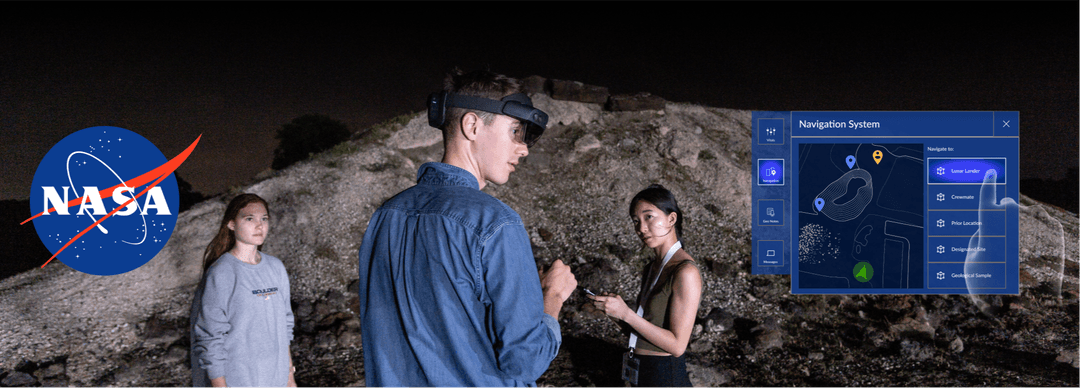
An augmented reality tool to aid NASA astronauts with lunar navigation & geological sampling
Leadership
Creating the first HCI club at RISD
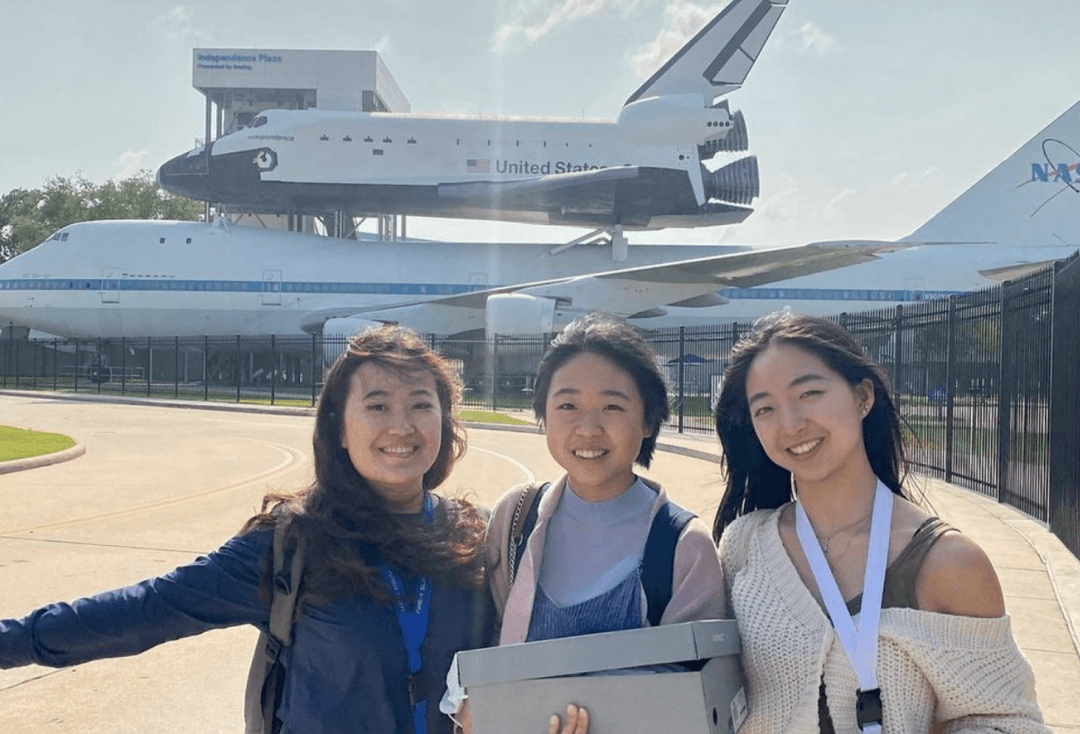
Leading a cross-functional team
✅ 100% task accuracy · 🏆 Awarded Finalists · 📄 2 published papers
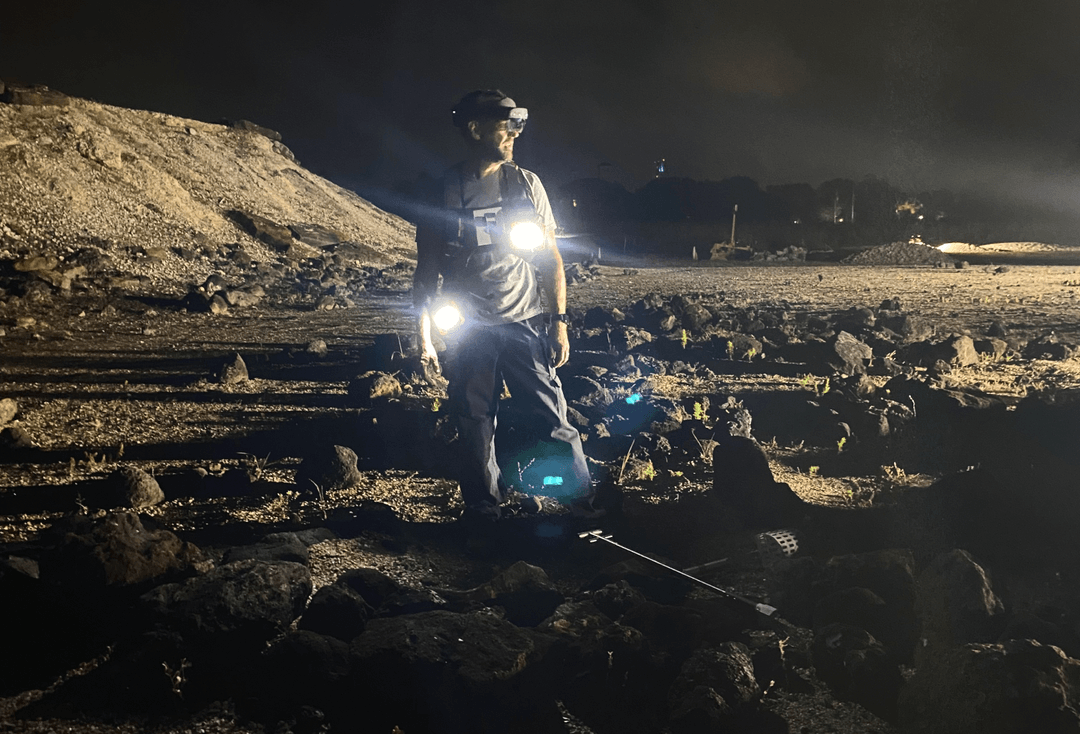
The Problem
How might we make completing critical mission tasks frictionless despite harsh environmental and physical constraints?
Ok so… what exactly are the critical mission tasks astronauts must do? The purpose of lunar missions is to study the landscape for scientific research. Astronauts are tasked with:



The Solution
Three core experiences
I created these Figma prototypes to demonstrate functionality and to assist hand-off to our developers.
Intuitive navigation
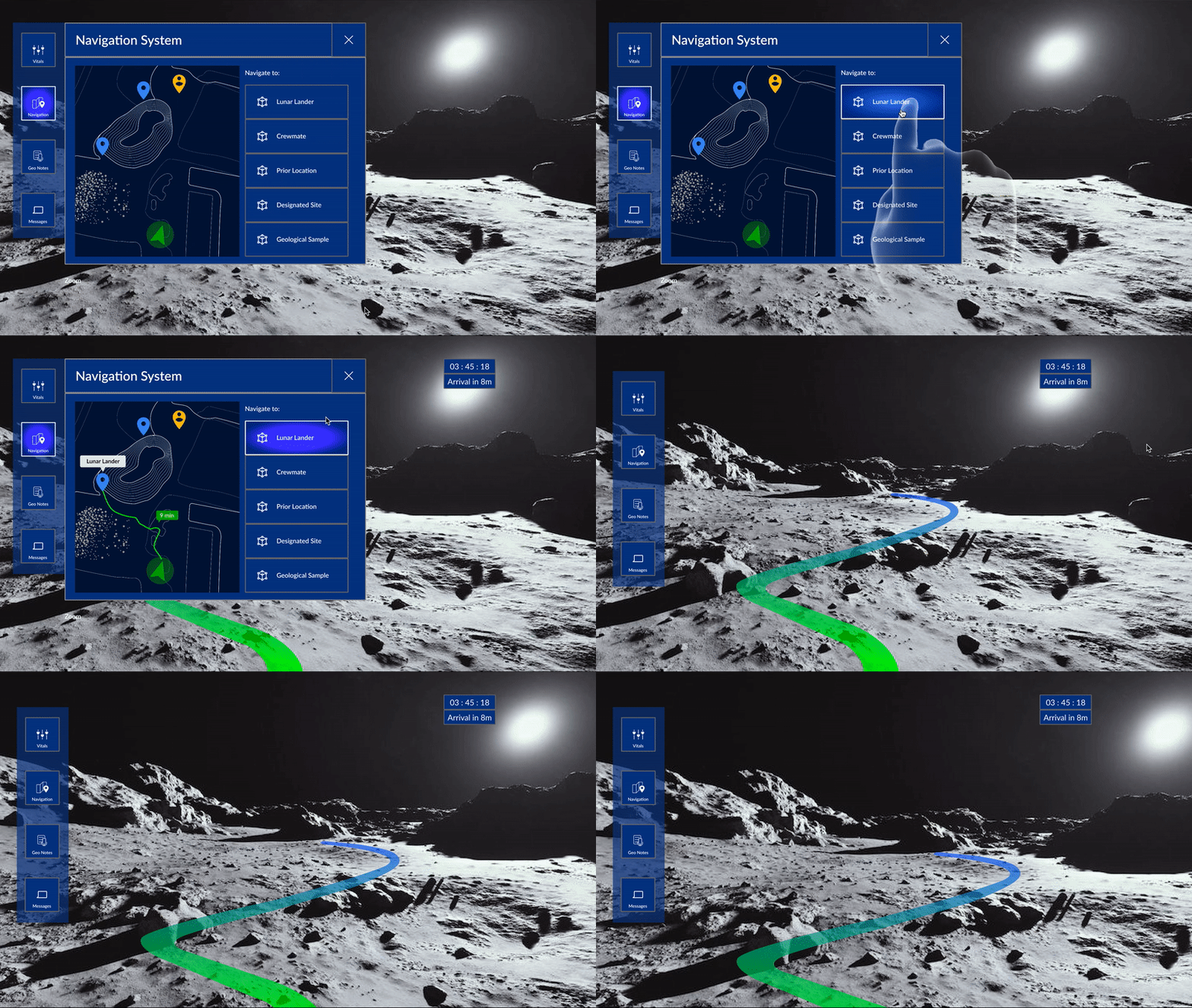
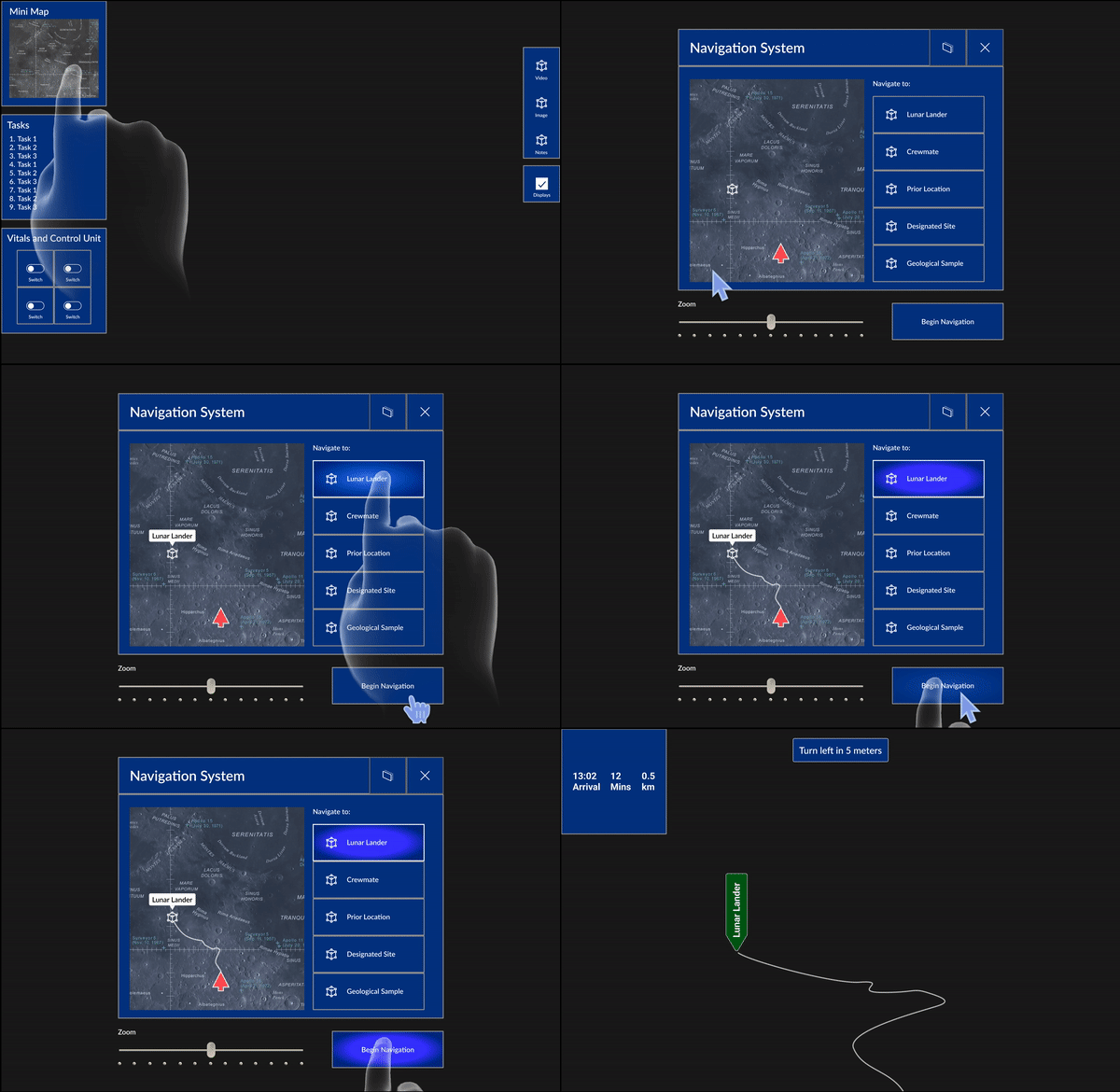
Smoothly navigate on the moon with an immersive, real-time navigation path optimized to avoid obstacles.
Hands-free documentation
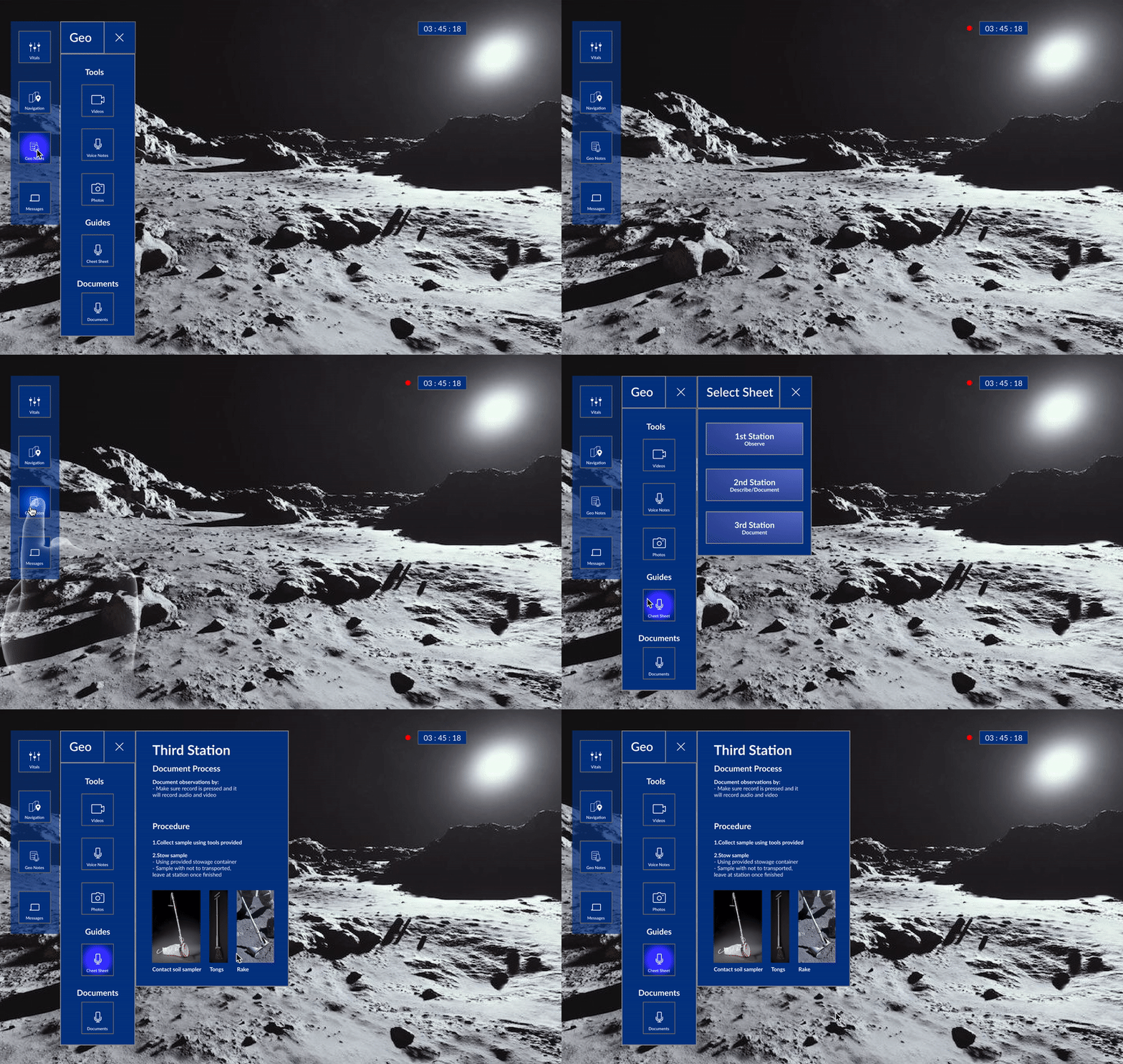
Document geological samples using voice/video recordings and follow along with station-specific instructions.
Quickly check health status
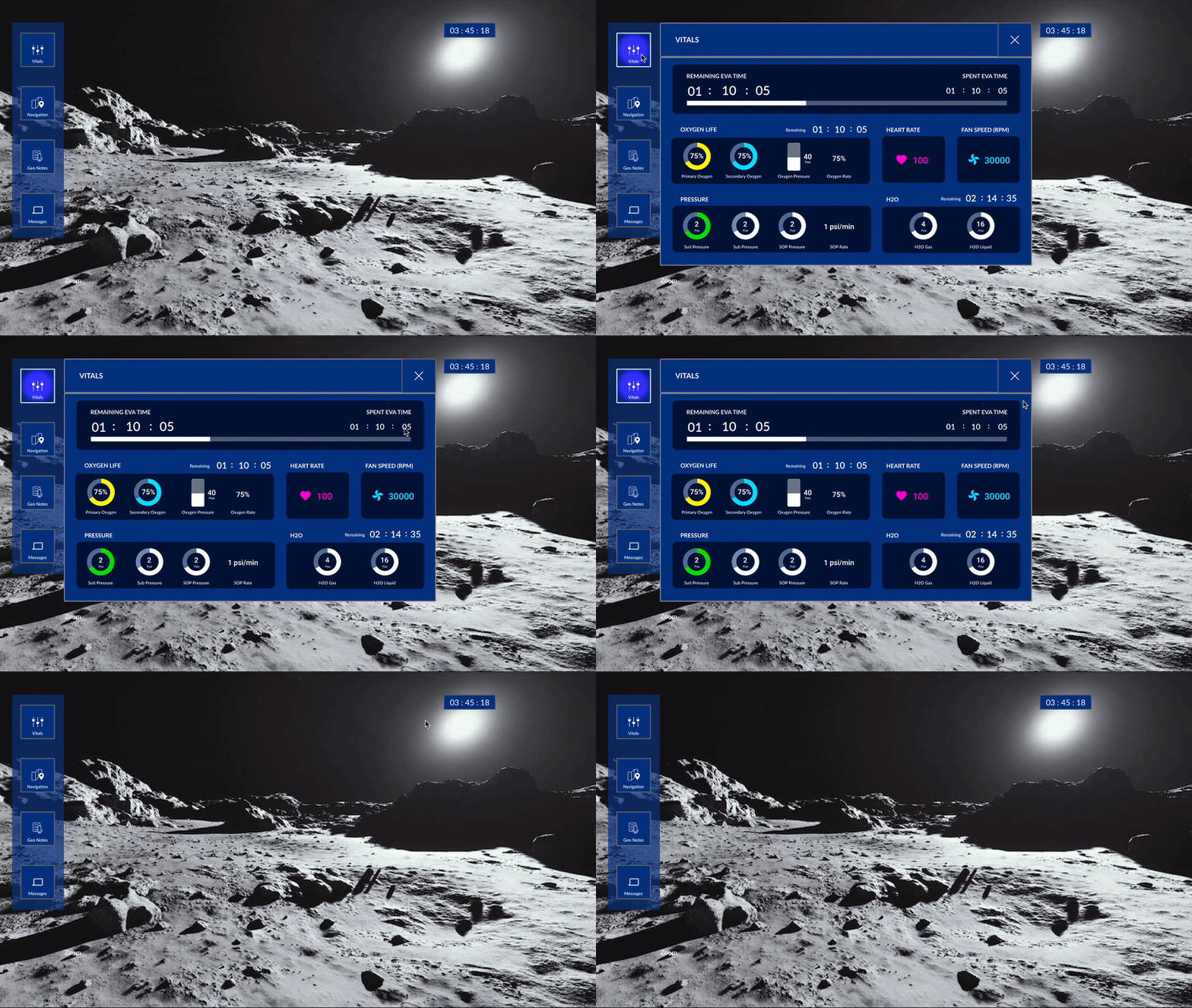
Check vitals at a glance with intuitive graphs and metrics.
Engineering
What were the technological innovations?
To build our product, our developers created some technical innovations.



Process
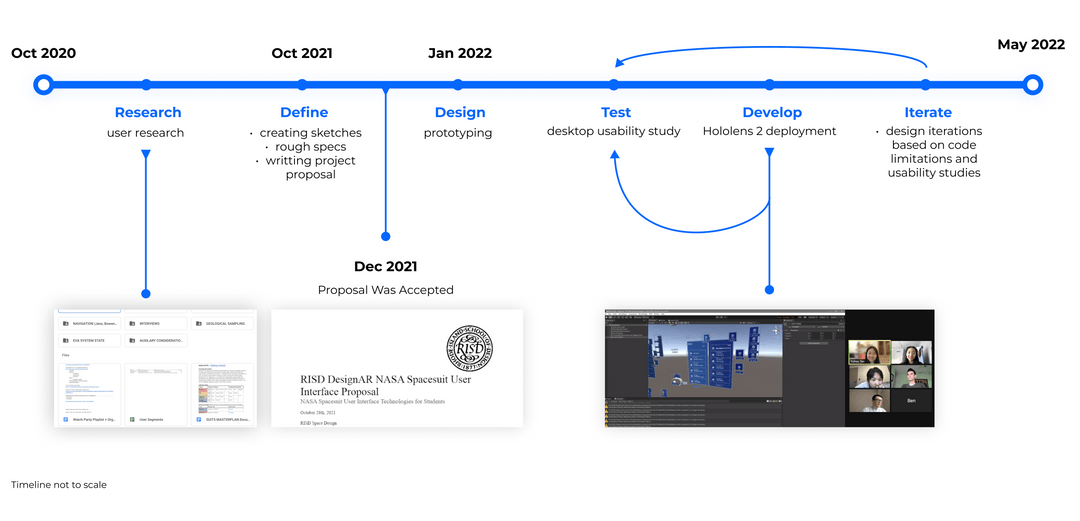
Double Diamond design + agile planning
I drove our team with curiosity and close collaboration between engineering, design, and research. By including cross-disciplinary perspectives early in our research and brainstorming, our team stood out with an MVP that was not only functional and fluid, but also technologically innovative.
Research
What are the needs of our target user?
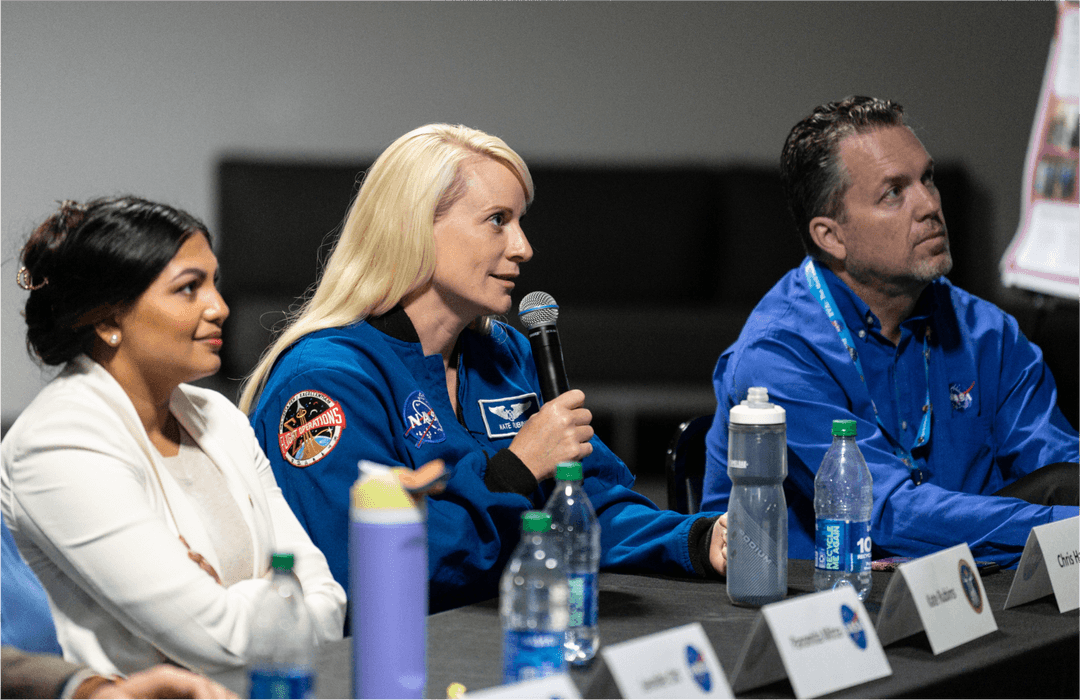
I led my team to organize interviews with three major subgroups: astronauts, field geologists, and augmented reality specialists. We watched previous lunar missions and read NASA documentation. From our responses we grouped common themes and identified the four following pain points:
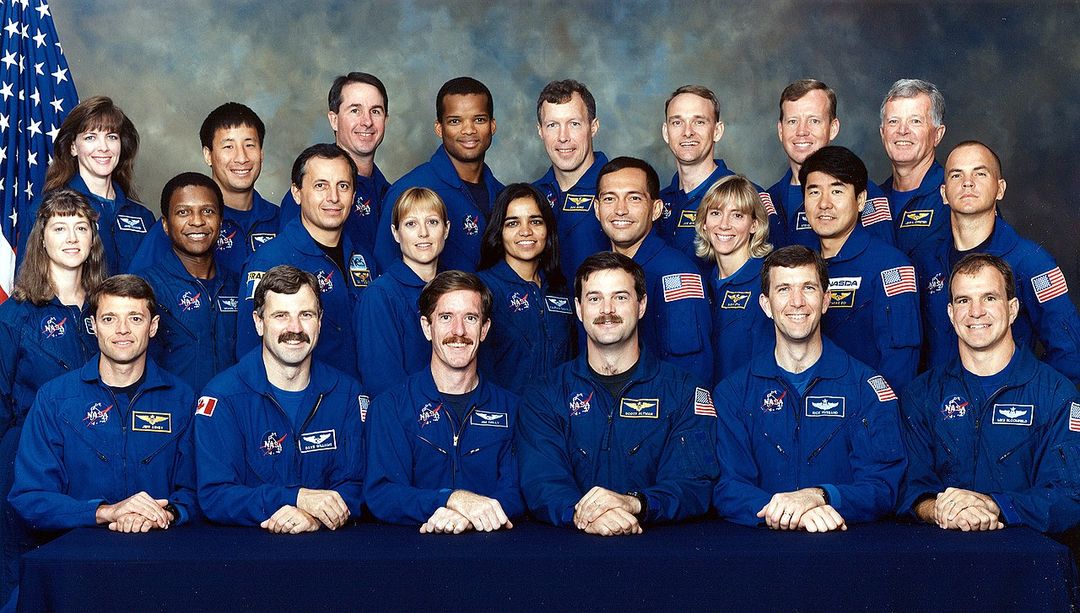
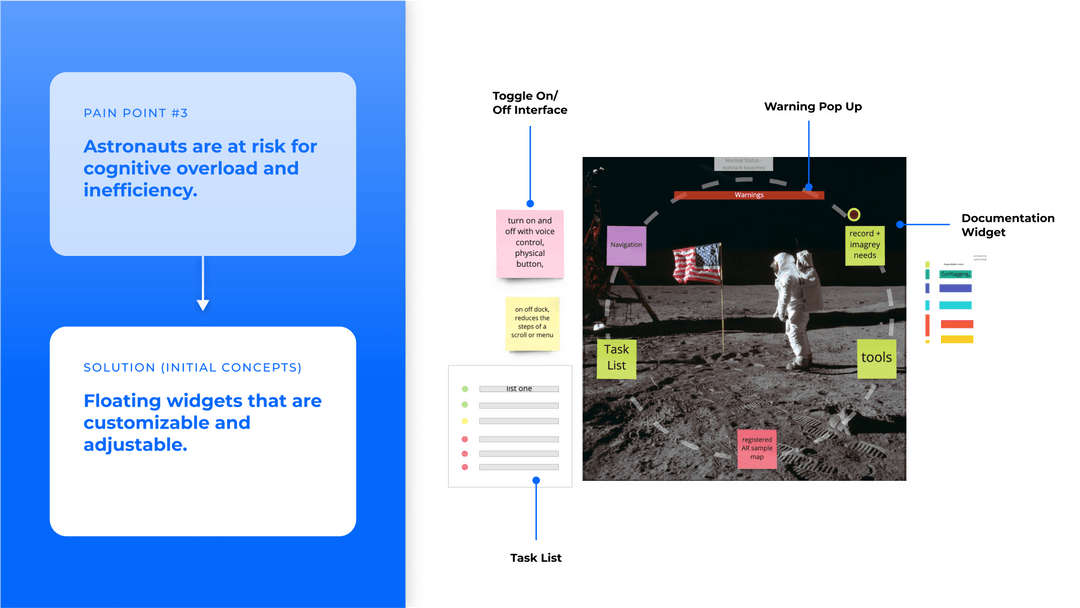
Pain Point #1 — Astronauts are at high risk for cognitive overload
Due to multitasking under high pressure and the tight schedule of lunar missions, astronauts may feel overwhelmed and struggle with processing information.
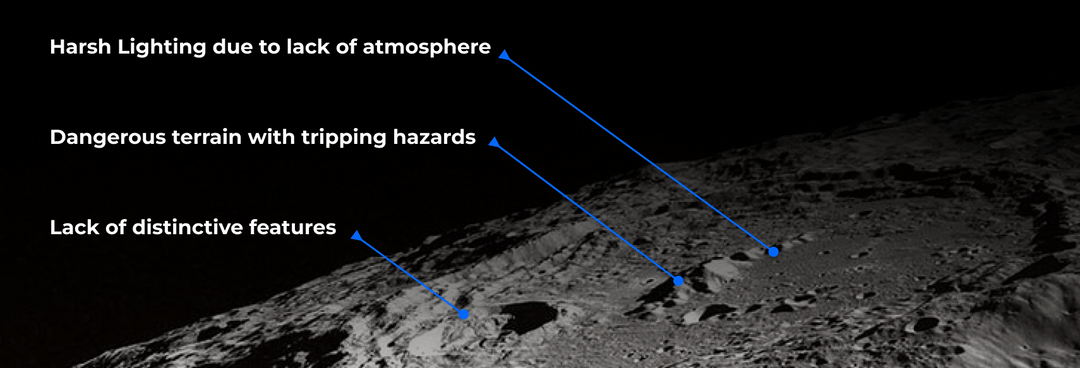
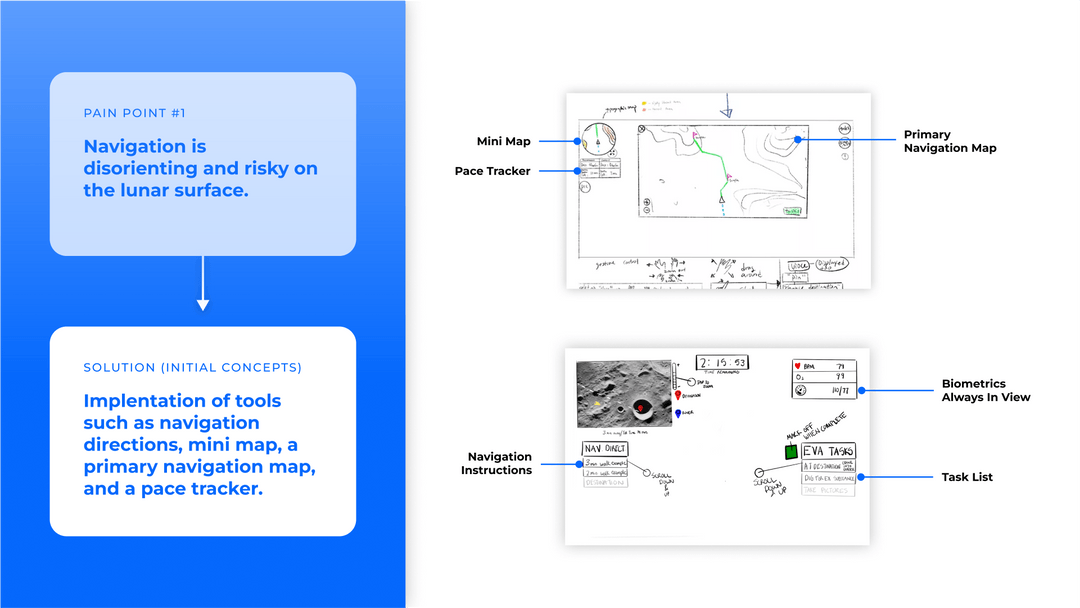
Pain Point #2 — Navigation is disorienting and risky on the lunar surface
Because the unfamiliar lunar surface appears homogeneous under harsh lighting conditions, identifying hazardous craters and sharp rocks is laborious and intensive for astronauts.
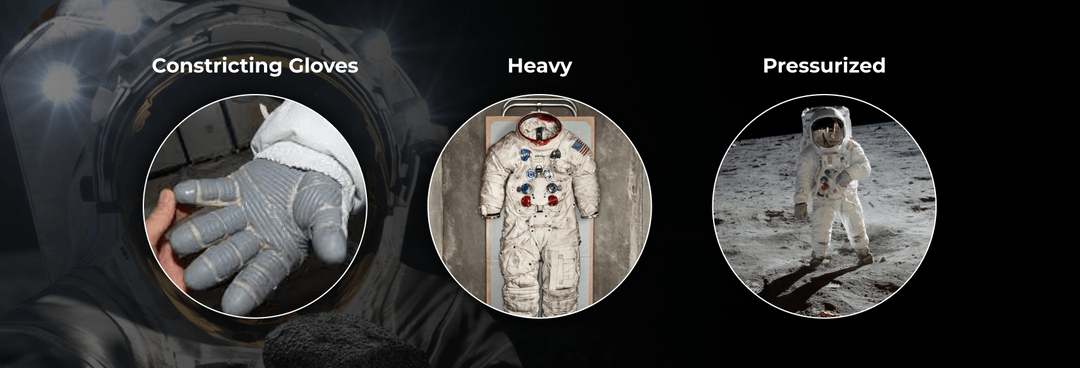
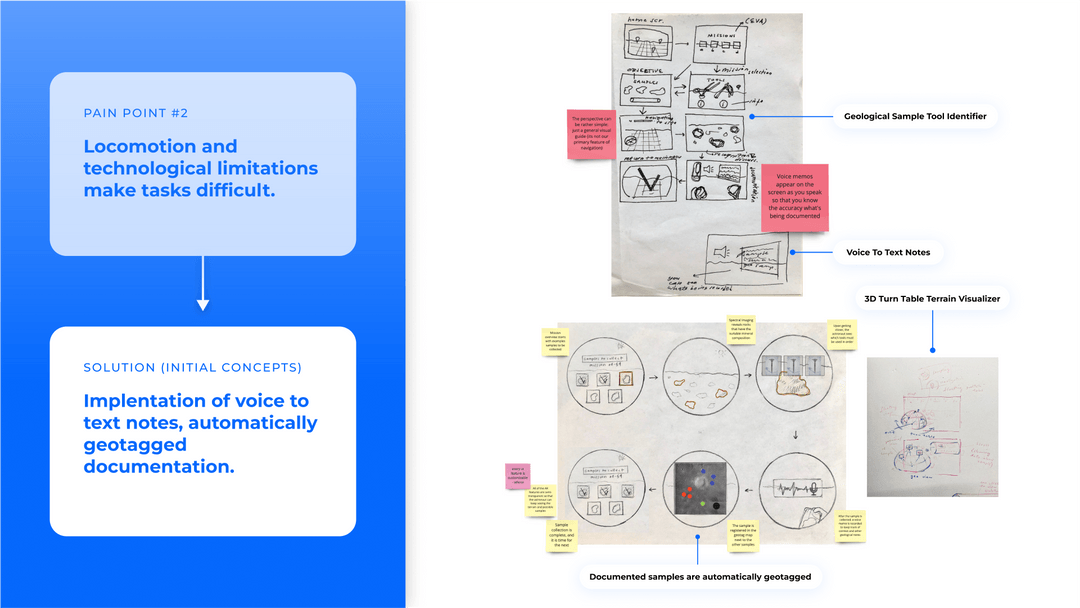
Pain Point #3 — Locomotion is restricted by the highly pressurized suit
The highly pressurized astronaut suit makes mission tasks tougher to complete because it's more difficult to grip, walk, and move.
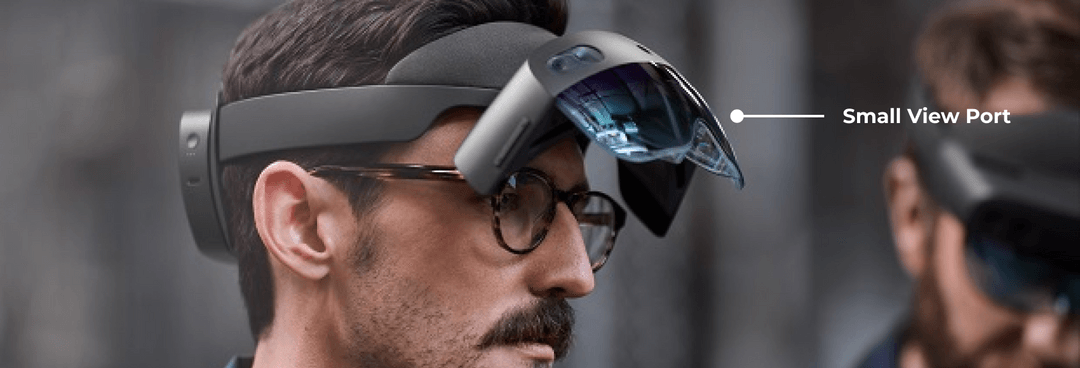
Pain Point #4 — Limited field of view
Current augmented reality headsets have small viewports that require precise movements to interact with the interface, making goals such as documenting geological samples difficult for astronauts.
Ideation
What were all the potential ideas?
Based on the astronauts' challenges and tasks, the team went through lightning rounds of brainstorming. For each pain point we generated sketches for our initial concepts.
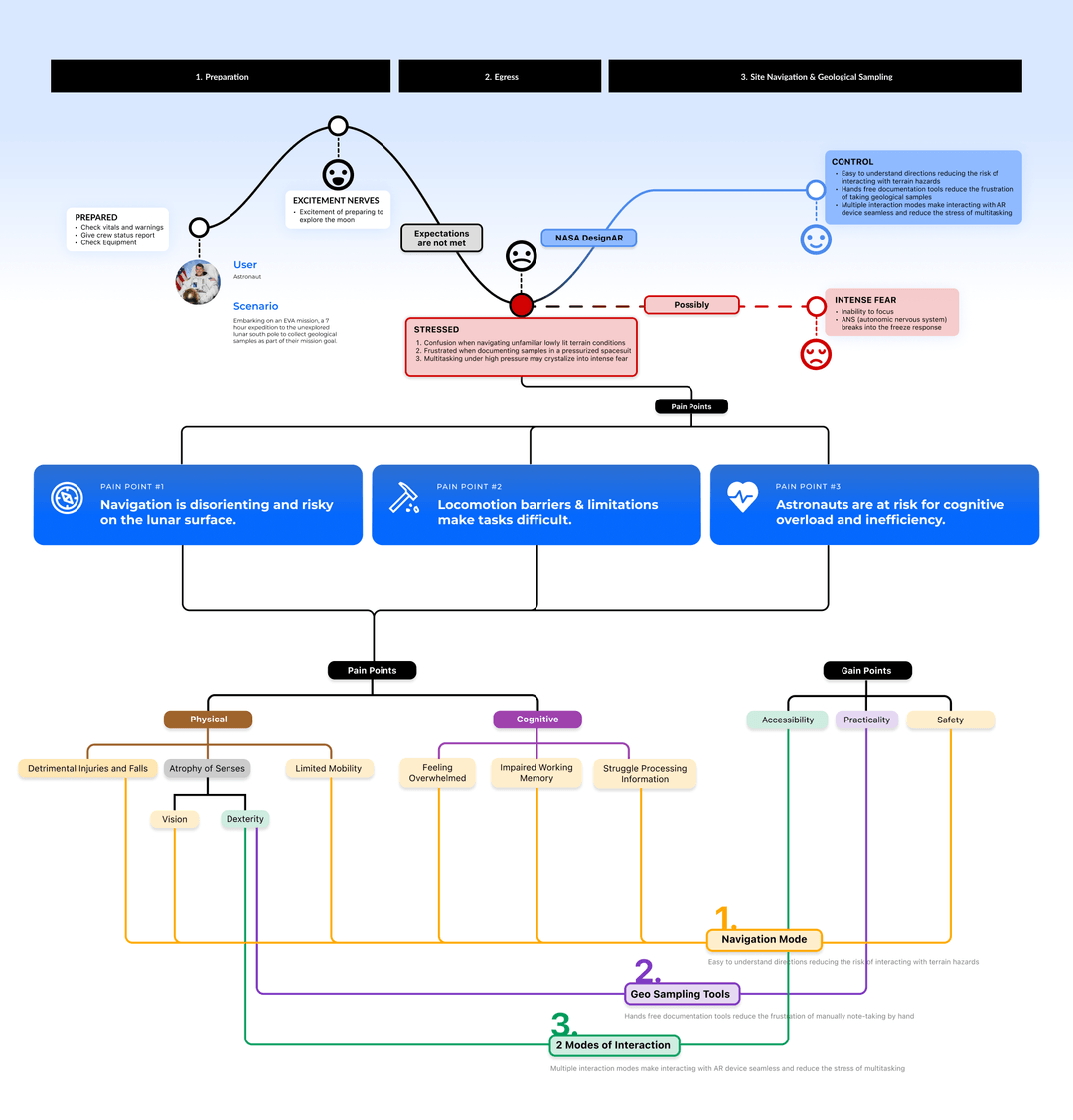
User journey map: emotional & cognitive landscape
The team was having difficulty designing for usability, so to create alignment I built this journey map — a tool to build empathy and help the team get in the mindset of what it's like to be an astronaut during a spacewalk.
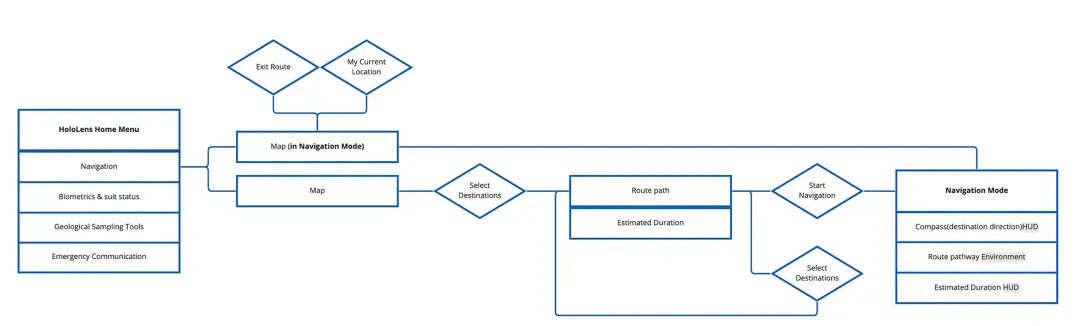
User flow
To narrow down our collective brainstorming we mapped out the information architecture and separated the designs into user flows.
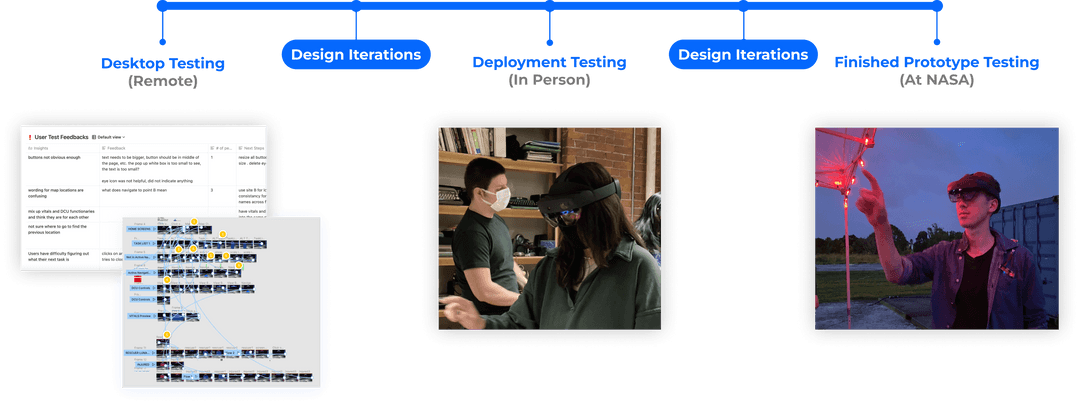
Validation
How was our design backed by data and evidence?
To test usability and viability we conducted multiple rounds of testing at all stages of the design: from desktop testing to a coded prototype on the HoloLens.
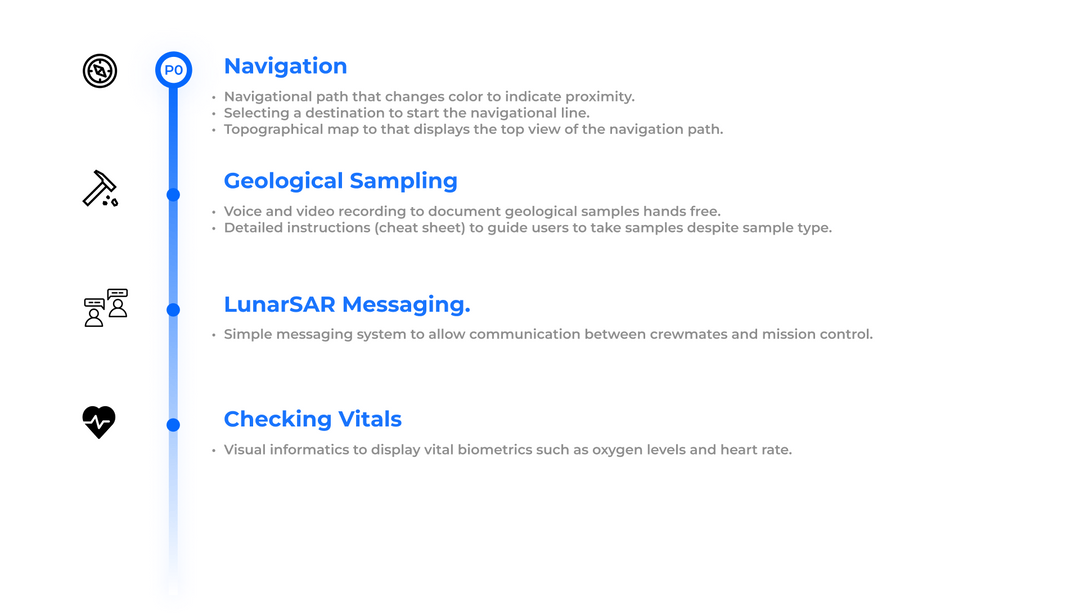
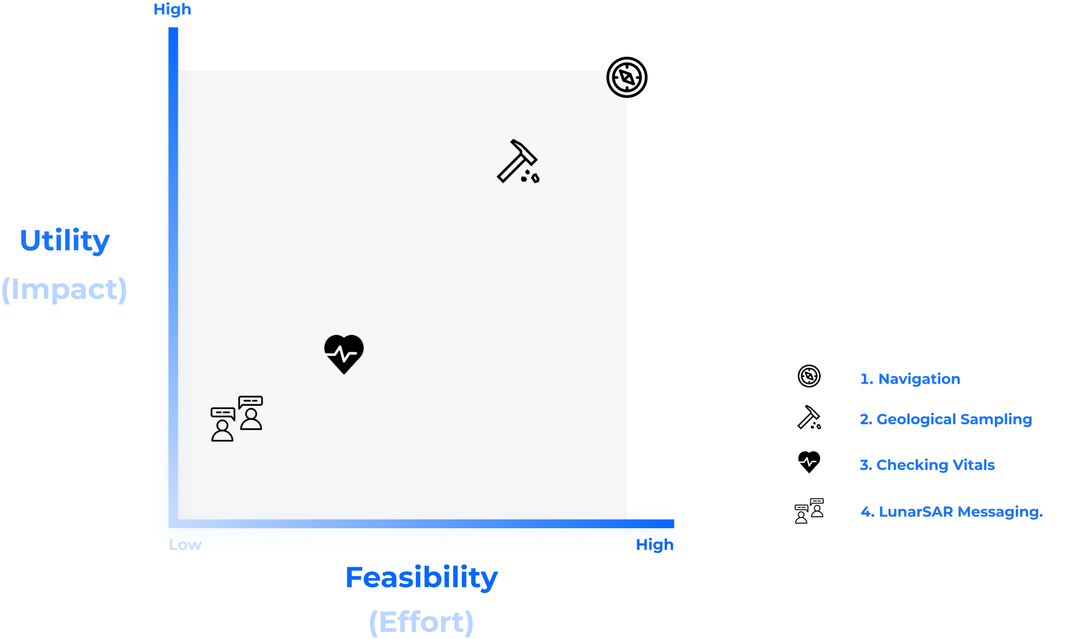
Prioritized vital features
Due to students' schedules and the NASA timeline, we had a short dev cycle. I had to prioritize design to maximize utility and feasibility. Identifying the priorities and defining the bare-bones MVP experience kept my team on the same page and let us tackle the challenge with confidence.
Design Decisions
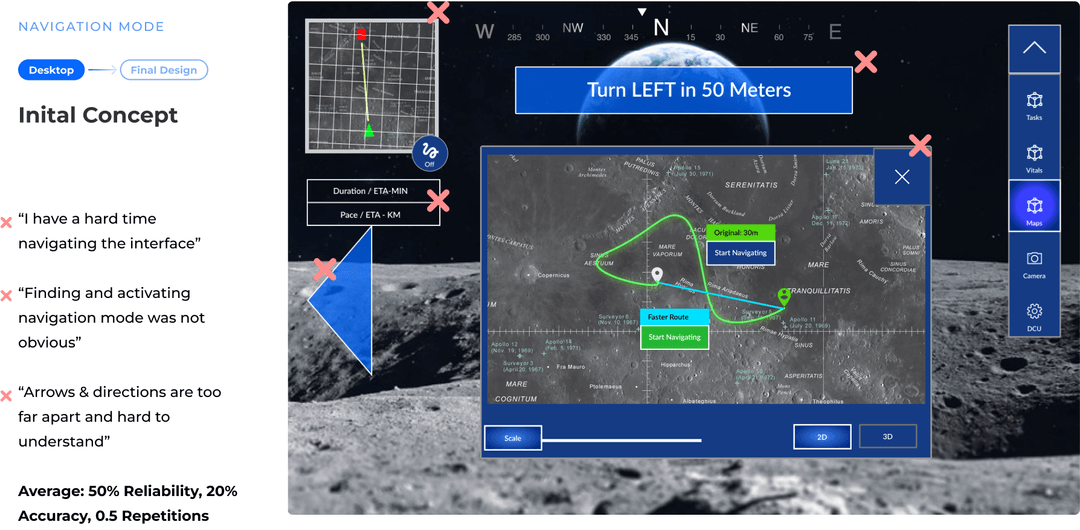
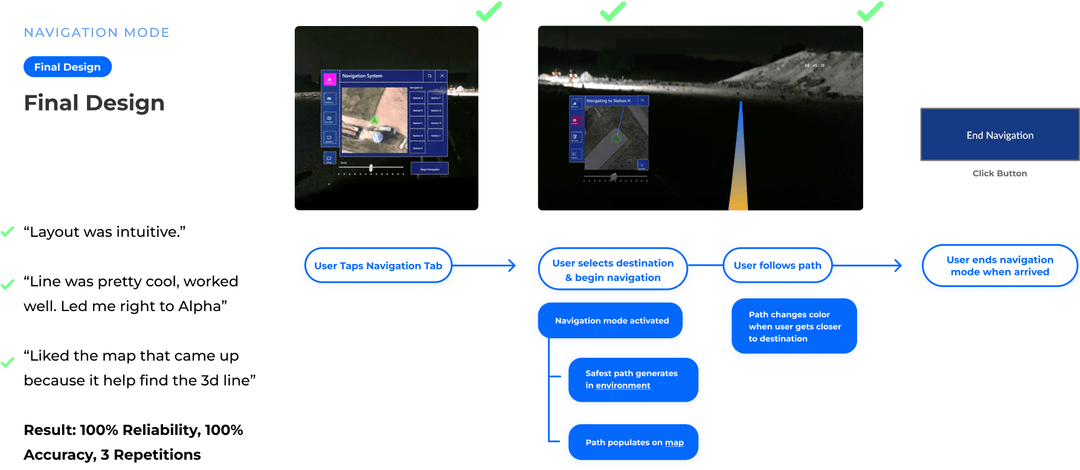
Changes to the navigation mode based on human-factors research
Design Decision #1 — Attention is a limited resource
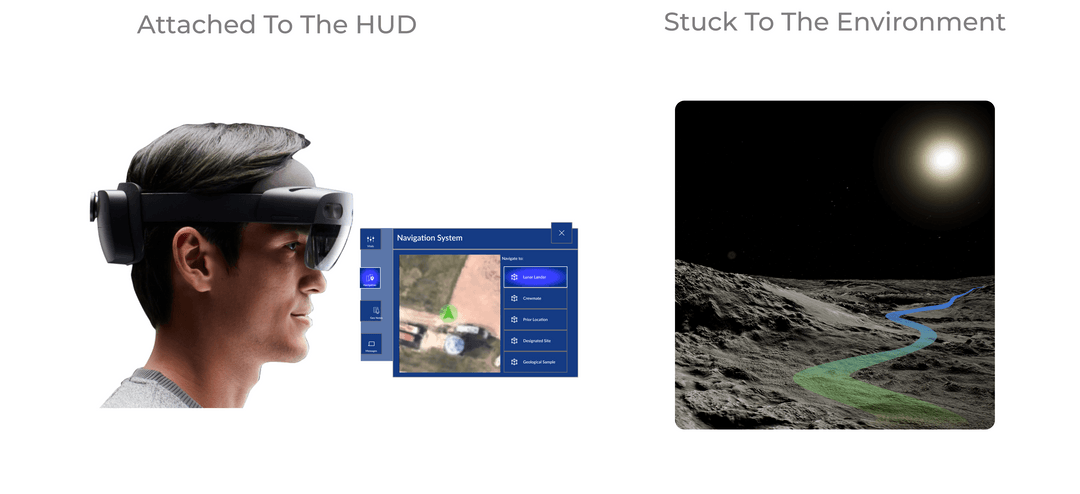
Participants indicated confusion when there are multiple free-floating interfaces in the physical environment, because the human attention span is limited to one plane of distance at a time. (e.g. when users focus on task selection on a menu in front of them, they're less likely to notice interface changes in the background environment.)
I simplified the navigation user flow to match natural behavior and reduce cognitive load by:
- Creating separate use cases for each plane of interaction within the HoloLens.
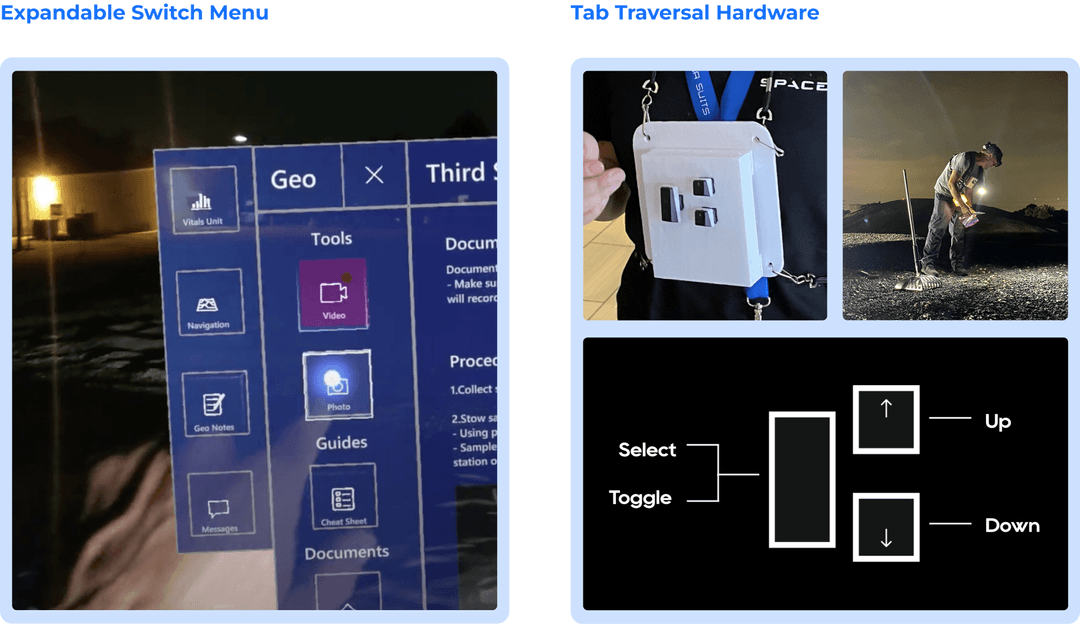
- Eliminating visual clutter by aggregating actionable interfaces for different features into one expanding switch menu.
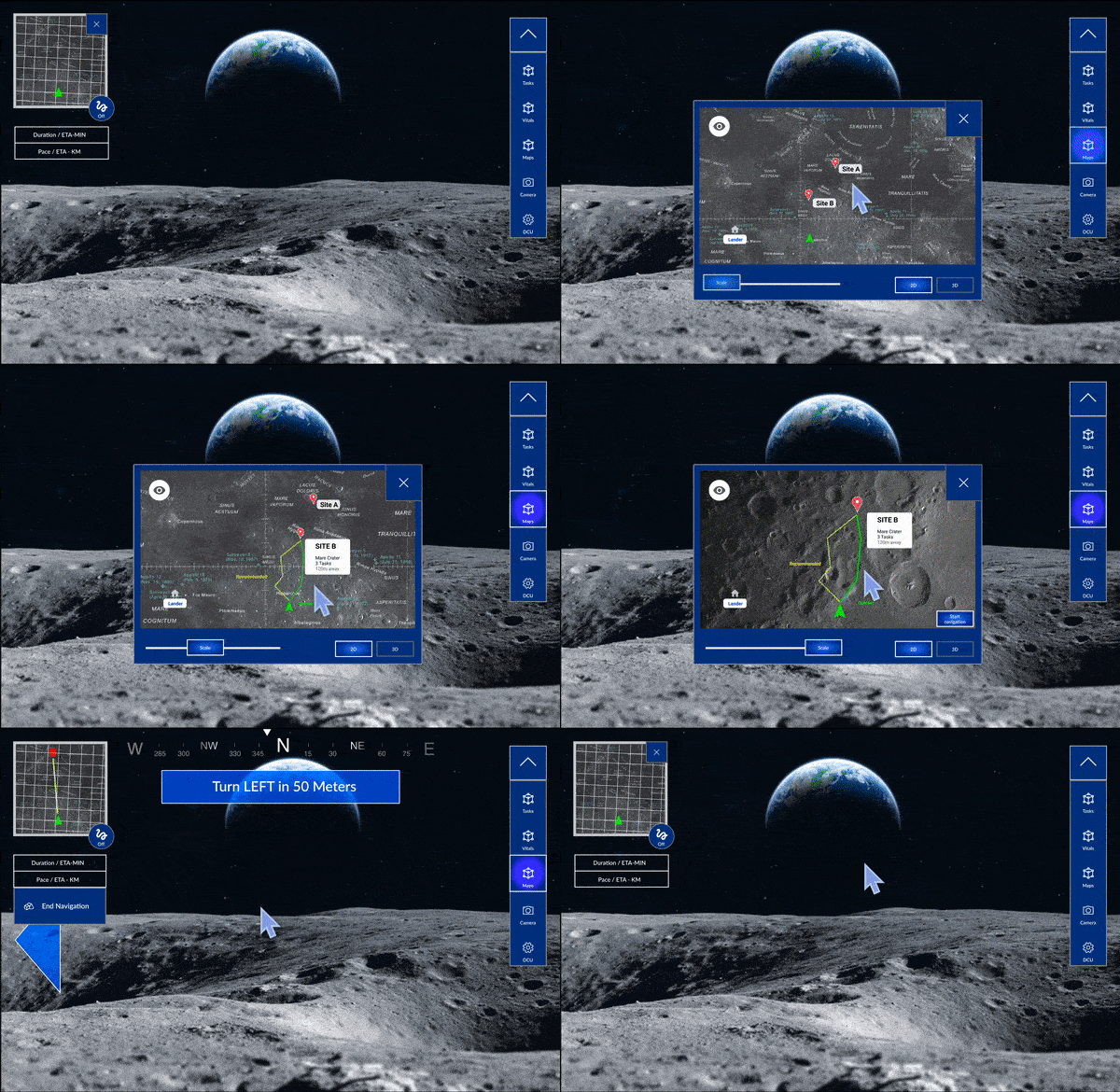
This redesign reduces the amount of free-floating interfaces and mimics natural human behavior, which increases workflow efficiency.
Design Decision #2 — Decision time increases with the number and complexity of choices
In the older version of the design, when users needed to navigate to a specific beacon location they had to:
- Select the map to show possible options
- Select the location
- Click start to begin navigation
- Click the map again to see where the destination is
I minimized the flow by:
- Showing all location selections once the map is open
- Having the map automatically open following the start of a navigation
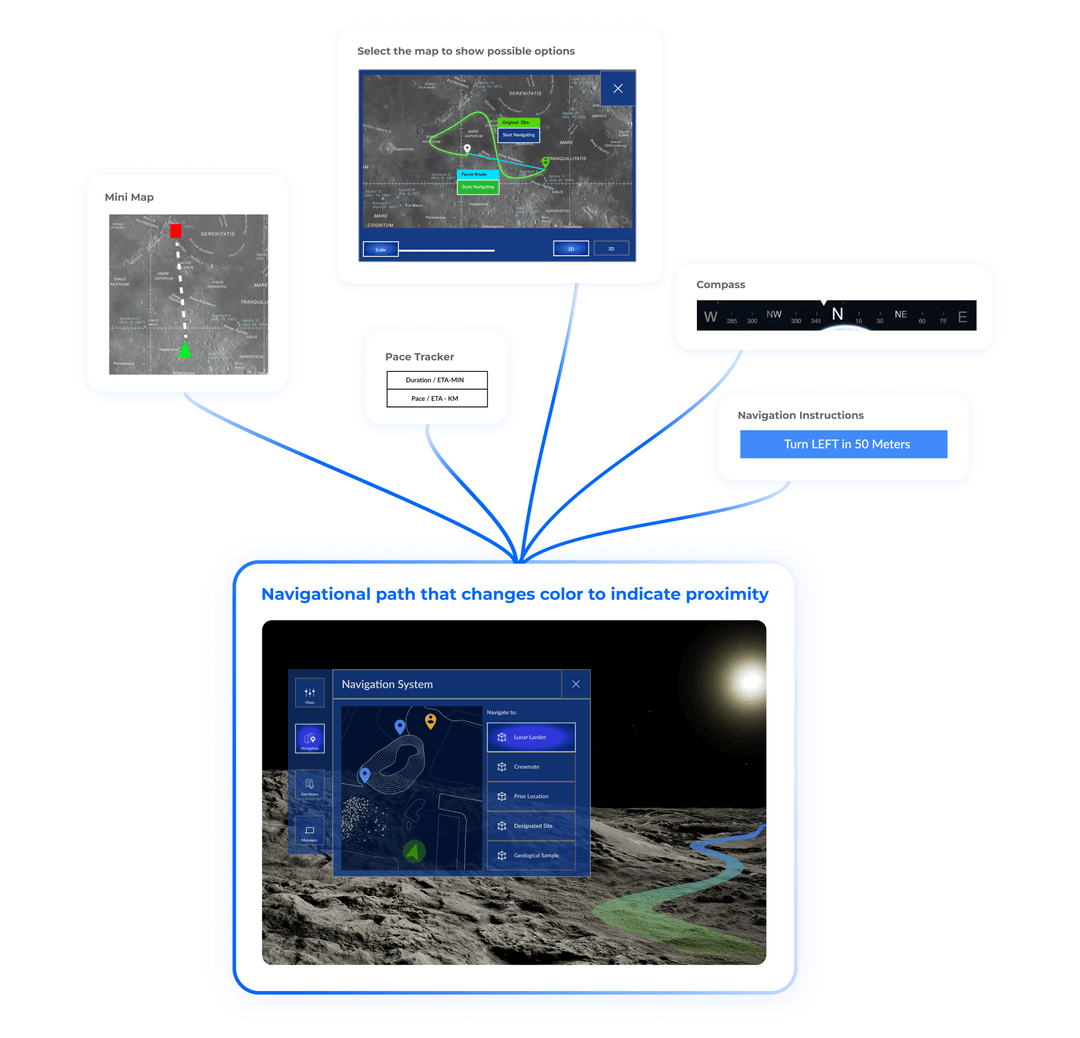
This redesign automated the navigation process that initially involved 4 action triggers down to only 2.
Final Design
Multiple modes of interaction
Navigation system
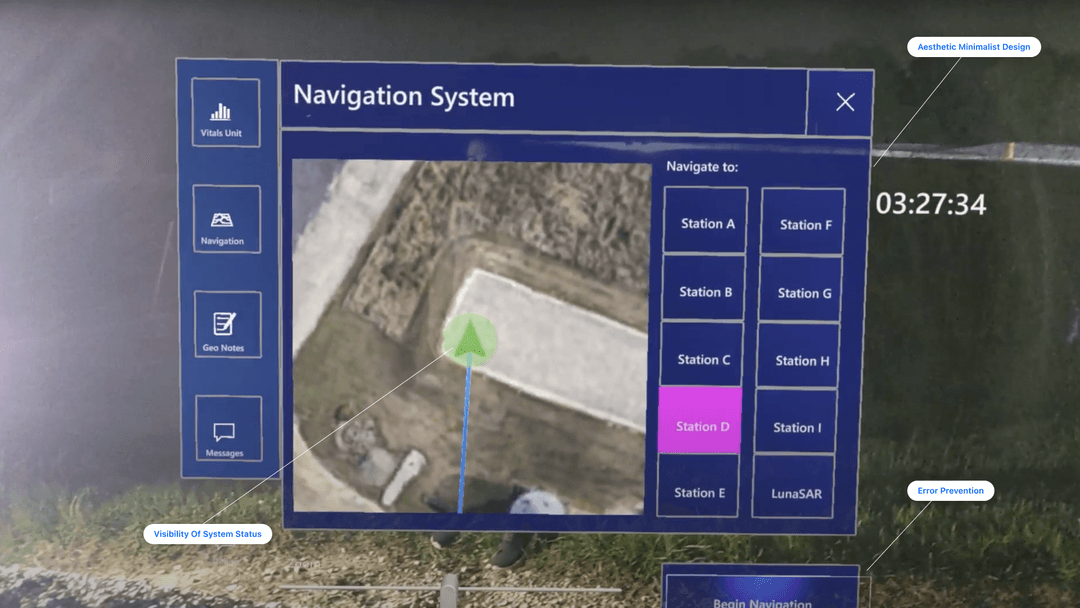
User selects a destination.
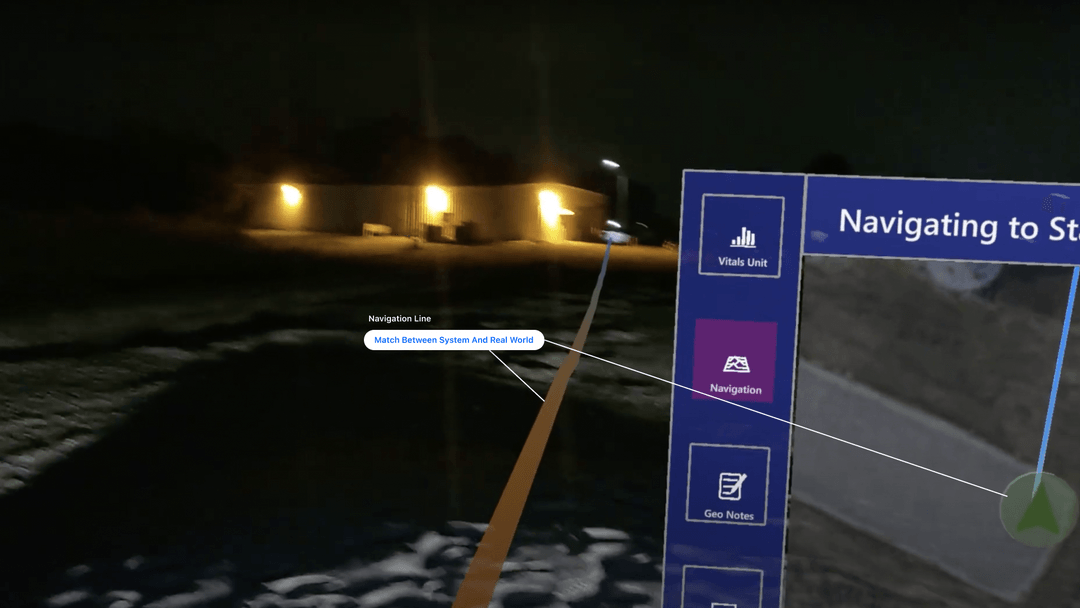
Line populates in the environment.
Geological sampling tools
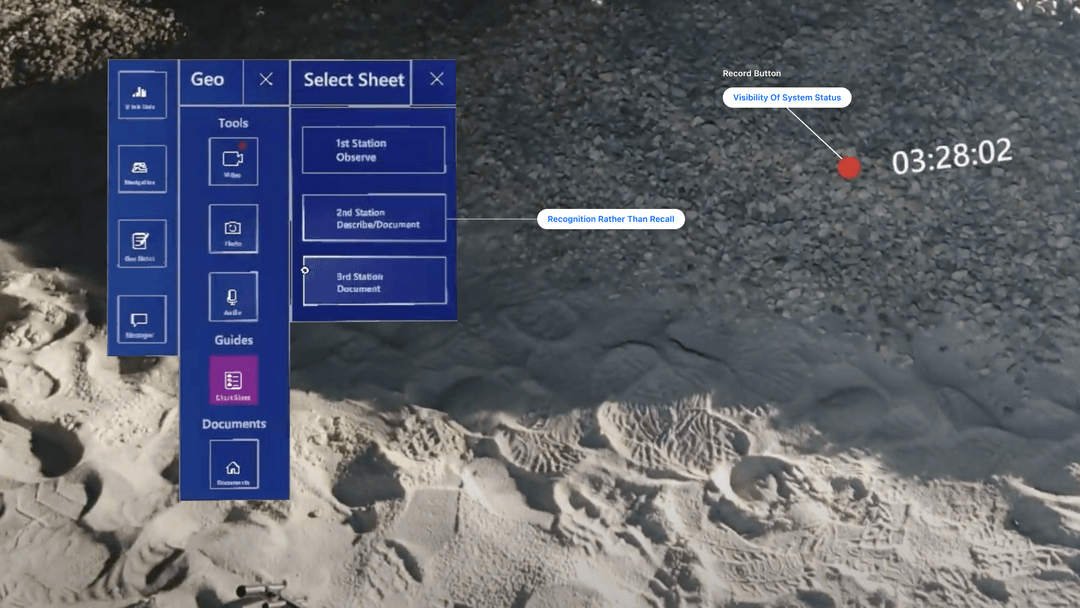
Select a station to view its cheat sheet.
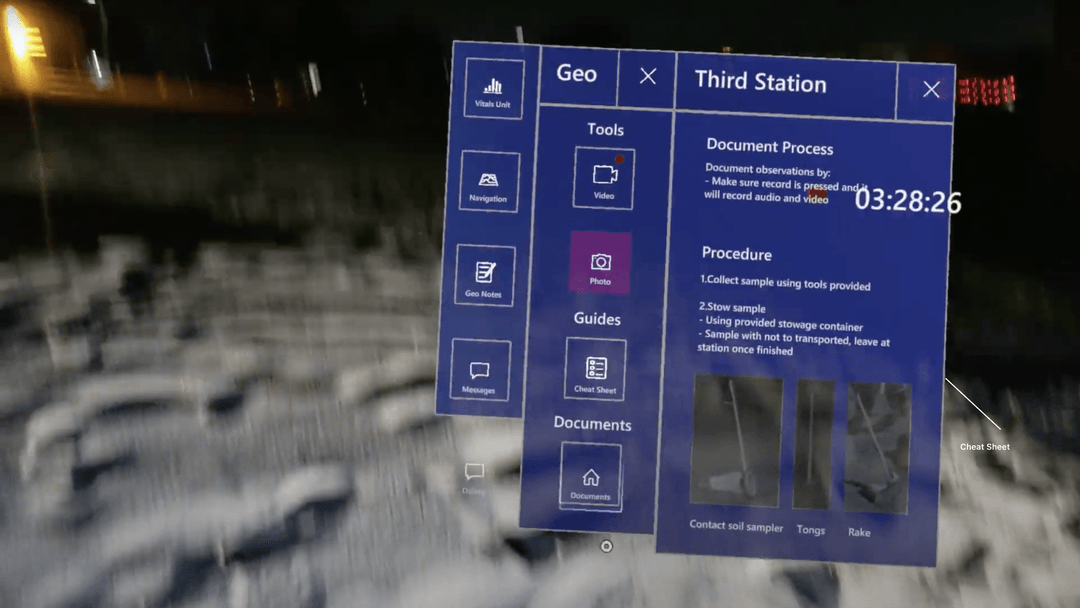
Sampling procedures for the 3rd station.
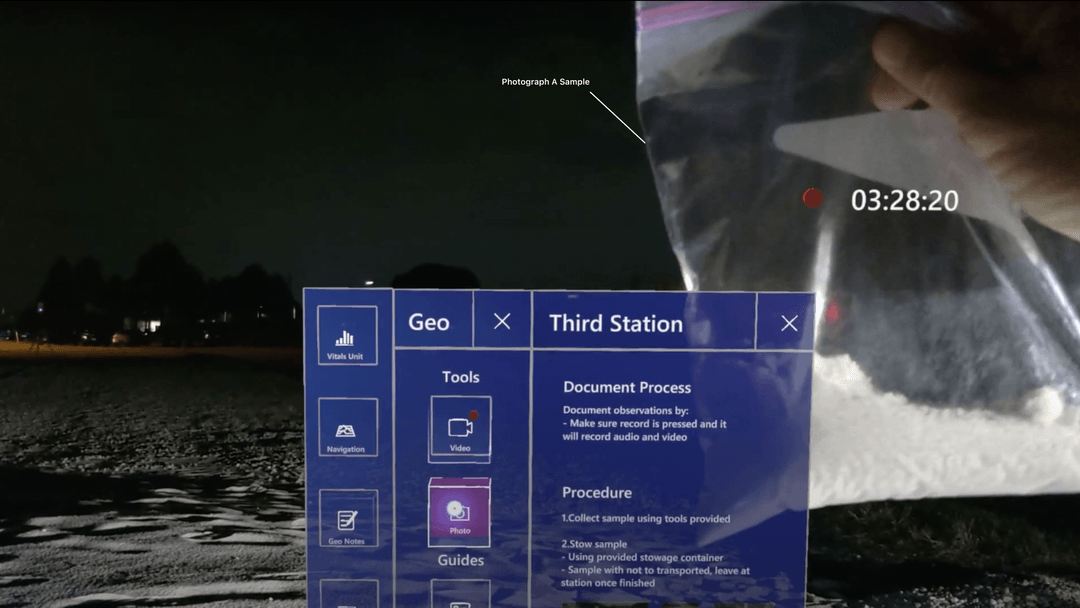
Photograph a sample.
Validation
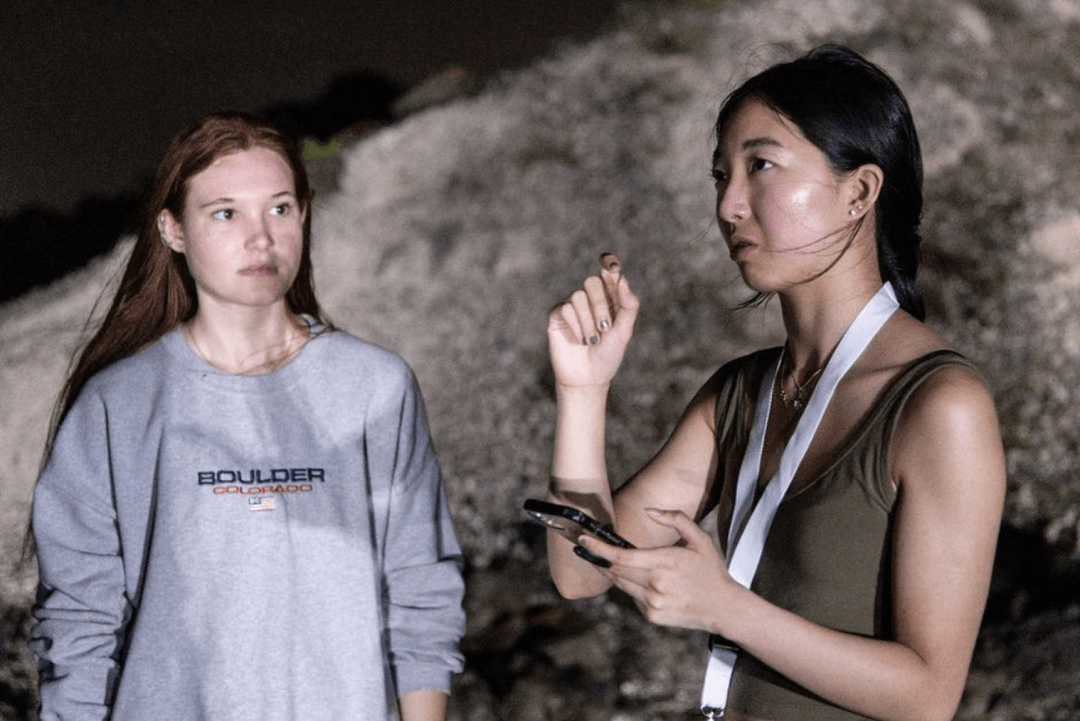
Tested by a NASA evaluator
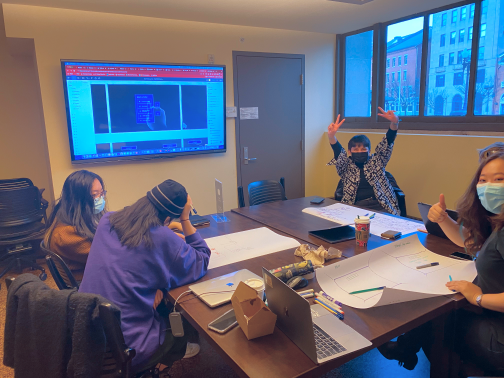
Finding common ground
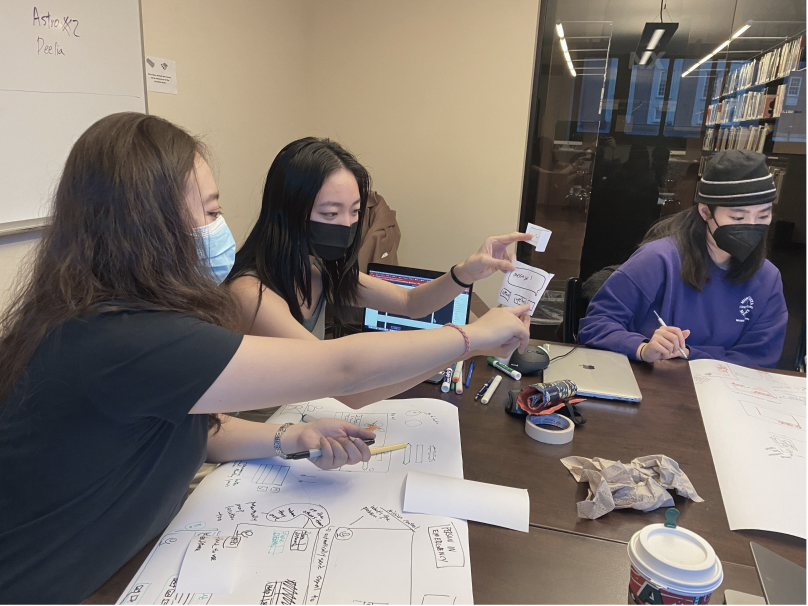
Forming interpersonal relationships
Recognition
2 published papers
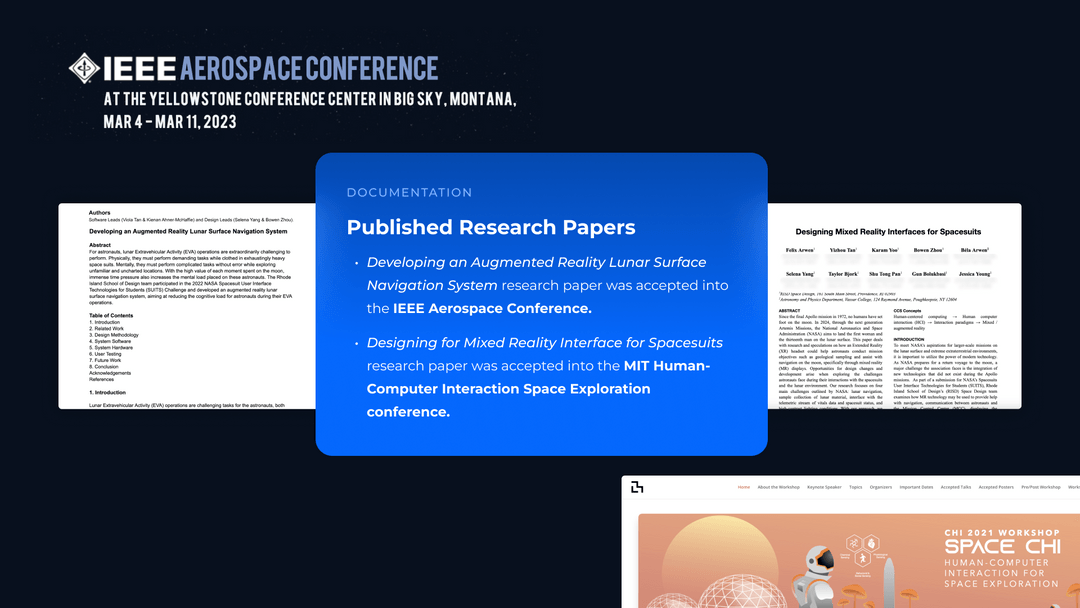
Institute of Electrical and Electronics Engineers (IEEE)
MIT Space CHI
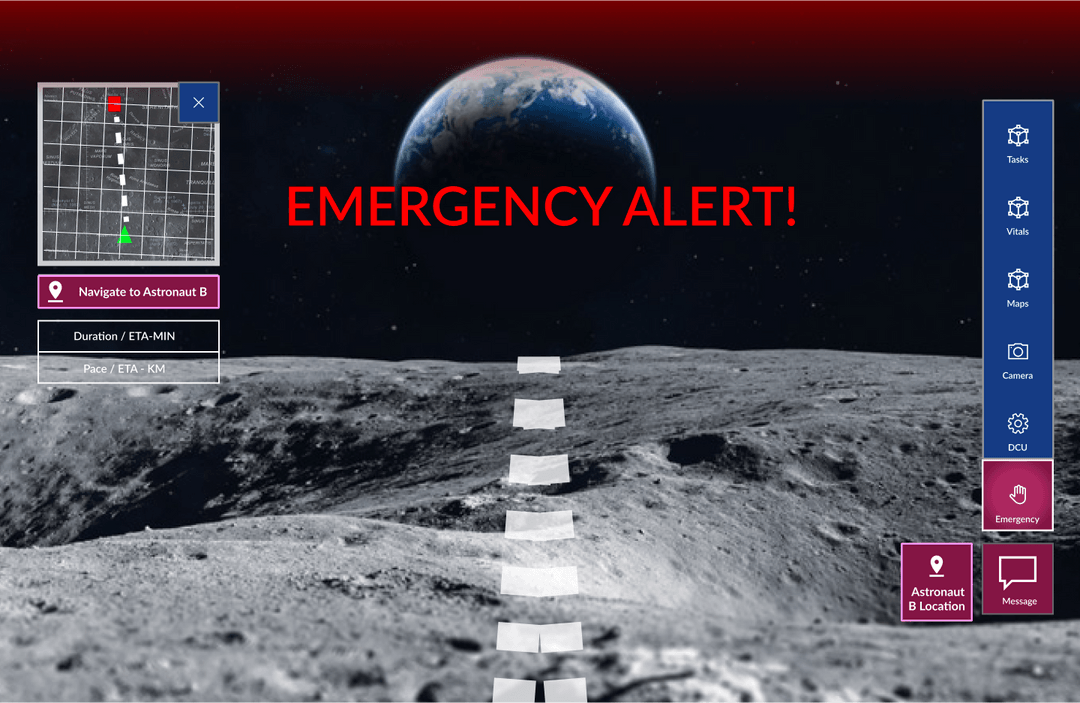
Design emergency cases
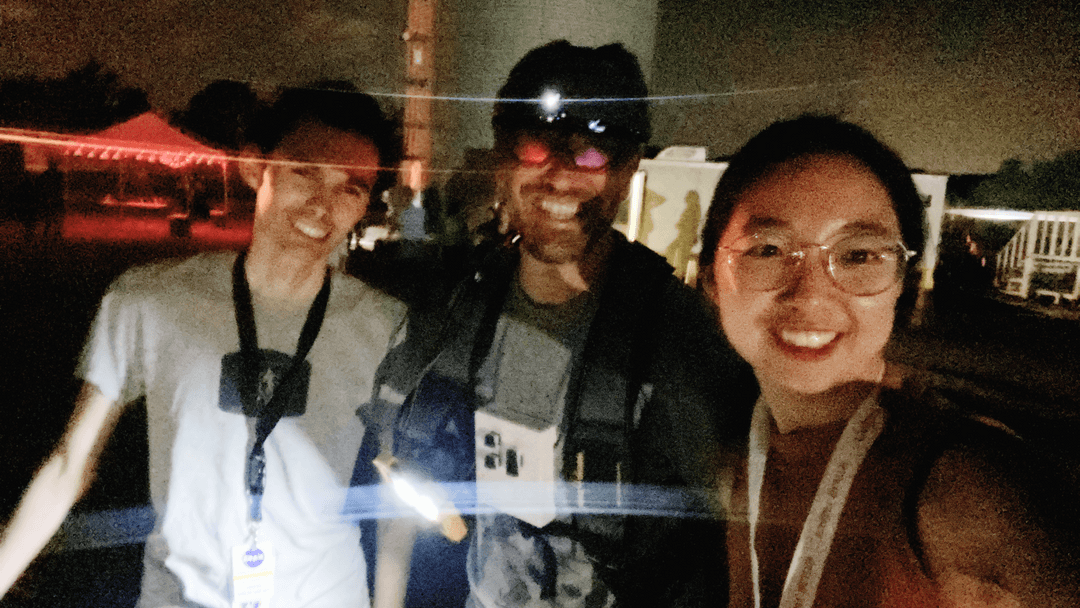
Conduct usability testing
Other Projects
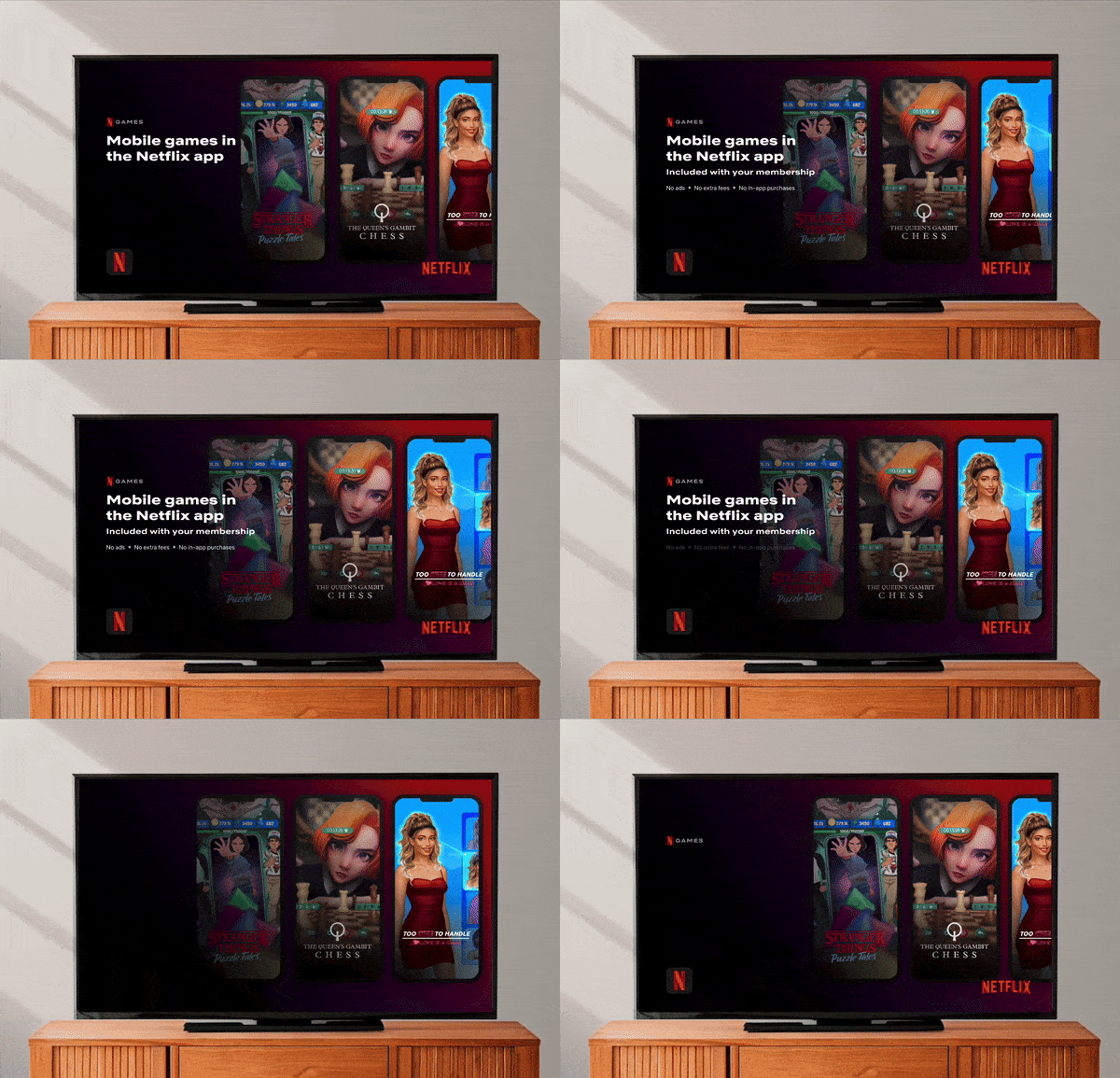
Netflix
Only 5% of members have played a mobile game. How do we improve the discoverability of them?
$XXX+ Million ARR
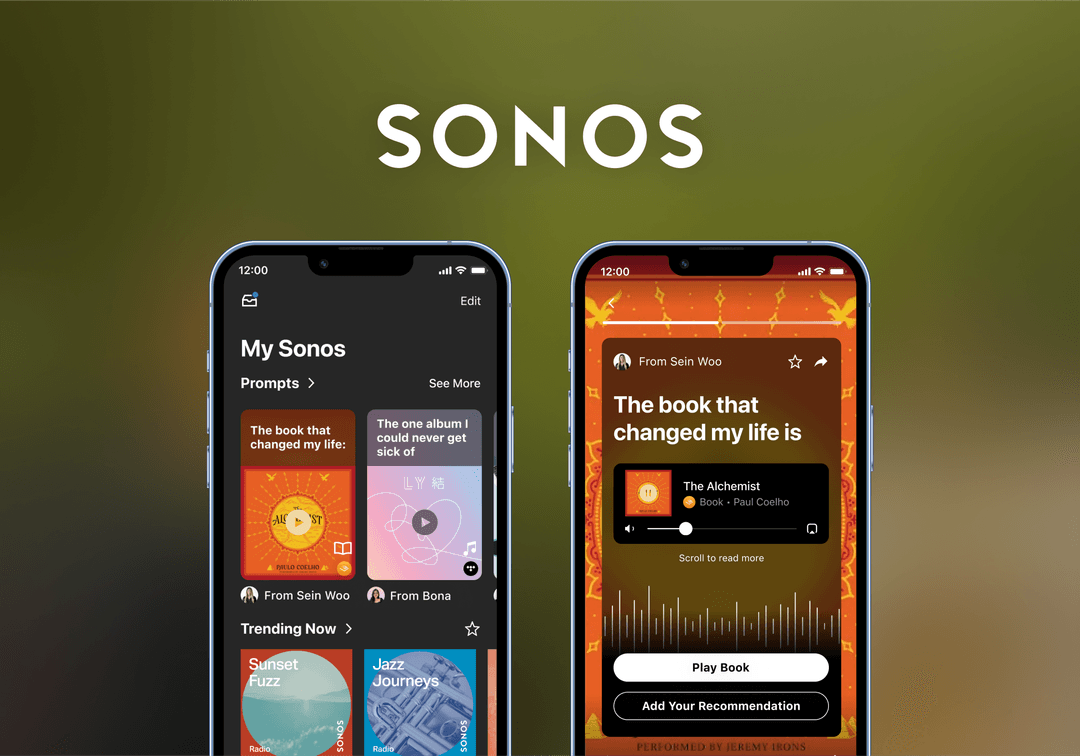
Sonos
The best recommendations come from word of mouth. How can we frictionlessly dive deep into a friend’s stories of their favorites?
UI/UX · Patent-Pending
Johnson & Johnson
Surgical devices should be as easy to use as popular consumer products. With this core principle, how can we enable surgeons to perform high-risk surgery?
Design System